 agent peeps
Agent Peeps docs
Everything agentpeeps can do.
Commands, sticker rules, the config file, the event log and the APIs. One page, local only, no account.
Quick start
One command adds hooks to every supported agent it finds. Your existing settings are backed up first.
$ npx agentpeeps initPrefer a global install? Same thing, and the command stays on your PATH:
$ npm i -g agentpeeps
$ agentpeeps init
- Start a new agent session. Hooks load when a session starts, so the stickers appear from the next one. To start them now:
agentpeeps overlay. - Codex: open
/hooksonce and trust the Agent Peeps hooks. Codex never runs new hooks without asking. - Copilot and Antigravity: restart them so they read the new hook files.
The old command name agent-presence still works. Settings live in ~/.agent-presence/ either way.
Supported agents
init with no arguments sets up every agent whose folder it finds. Name agents to pick: agentpeeps init claude codex.
| Agent | Hooks written to | Events |
|---|---|---|
| Claude CodeCLI, desktop app, IDE | ~/.claude/settings.json | SessionStart, UserPromptSubmit, PreToolUse, PostToolUse, Notification, SubagentStart, SubagentStop, Stop, SessionEnd. Async, never blocks. |
| Codex | ~/.codex/hooks.json | Same as Claude, plus PermissionRequest. Trust them once in /hooks. |
| CopilotVS Code agent mode, Copilot CLI | ~/.copilot/hooks/agent-presence.json | sessionStart, userPromptSubmitted, postToolUse, notification, subagentStart, subagentStop, agentStop, sessionEnd. 5 s timeout. |
| Antigravity | ~/.gemini/config/hooks.json, key "agent-presence" | SessionStart, PostToolUse, Stop. |
Copilot and Antigravity run hooks synchronously and treat a failing pre-tool hook as “deny”, so Agent Peeps only listens to events that can't block them. A tool call shows up when it finishes, not when it starts.
CLI reference
Run agentpeeps with no arguments for this list in your terminal.
agentpeeps init [agent...]
Installs hooks for claude, codex, copilot, antigravity (default: every one found), backs up each file it touches (.bak-agent-presence), and starts the overlay. Run it again any time to update.
$ agentpeeps init
Installed hooks for: Claude Code (~/.claude/settings.json), Codex (~/.codex/hooks.json)
Codex: open /hooks in Codex once and trust the Agent Peeps hooks.
The stickers appear on your next agent session. To start them now: agentpeeps overlay
Run through npx, it first installs a permanent copy into ~/.agent-presence/app and points the hooks there, because npx may clear its cache.
agentpeeps uninstall [agent...]
Removes only the Agent Peeps hooks. Your own hooks and settings stay.
agentpeeps overlay [--quit]
Starts the floating stickers, or stops them with --quit. It also starts on its own at the next session start unless autostart is off.
agentpeeps control [target]
Opens the control room. Pass a target to open straight on its stickers: agentpeeps control codex, agentpeeps control helpers. Aliases: stickers, settings.
agentpeeps packs
Lists every sticker pack: your folders first, then the bundled ones.
$ agentpeeps packs
Sticker packs (use one with: agentpeeps set <target> <pack>)

  capybaras                   16 stickers  (bundled)
  cats                        54 stickers  (bundled)
  fruit-cats                   6 stickers  (bundled)
agentpeeps set <target> <pack|image|default> [more...]
Points a target at a pack, an image, or several of both. default (or none, reset) goes back to the colored disc. Singular and plural pack names both work. Targets are listed under Stickers.
$ agentpeeps set claude capybaras
claude -> capybaras pack (16 stickers)
Each session gets its own sticker from the set. The overlay updates live.
$ agentpeeps set codex cats
$ agentpeeps set helpers fruit-cats
$ agentpeeps set model:opus capybaras
$ agentpeeps set Explore ~/stickers/detective.png
$ agentpeeps set claude default
agentpeeps watch
The same live view in your terminal: every agent, its helpers, and the last four files each one touched, relative to its project.
Agent Peeps  (Ctrl+C to exit)

  ✏️  claude 3f9a1c              writing    src/login.ts  (2s)
          ✏️ src/login.ts  2s
          🔍 src/auth.ts  9s
      🔍  └ Explore              reading    tests  (4s)
agentpeeps emit <agent> [event]
Used by the hooks: reads the hook's JSON on stdin and appends one line to the event log. It always exits 0, so it can never break or slow your agent. Copilot and Antigravity pass the event name as the second argument and get {} back on stdout.
Stickers
Every session shows the colored disc for its agent until you pick stickers: C Claude, X Codex, P Copilot, A Antigravity. Helpers get a white disc ringed in their parent's color.
Packs
A pack is any folder of images. Yours live in ~/.agent-presence/stickers/<pack>/, and a folder of yours wins over a bundled pack with the same name. PNG, GIF (animation plays), SVG, WebP or JPEG; square, about 256 px.
Targets
| Target | Who it applies to |
|---|---|
claude codex copilot antigravity | Every session of that agent. |
model:<text> | Sessions whose model contains the text, e.g. model:opus, model:fable. |
helpers | Every subagent. Saved as subagent. |
claude-helpers, codex-helpers, … | One agent's subagents. Saved as claude-subagent. |
Explore, any type name | One subagent type. |
Which sticker wins
- Sessions: the longest matching
model:rule, then the agent, then the default disc. - Helpers: their type, then
<agent>-subagent, thensubagent, then the default disc. - A pack or a list gives each session (or helper) one sticker of its own, picked by its id, so it keeps the same face all session.
Sponsoring
Agent Peeps is free and open source, and so is every sticker on the site: the packs, the animated ones and the sticker maker.
If your team uses it, you can sponsor the project to keep it free and local-first for everyone. Or just buy me a coffee from the same page.
Control room
One window for every setting, so you never edit a file or spend tokens asking an agent. Changes apply the moment you click. Open it with Ctrl Alt Shift C, the tray icon, agentpeeps control, or right-click a sticker → Change sticker…. It loads in the background when the overlay starts, so it opens instantly, and closing it only hides it.
Overview: what every agent is doing
A live board of every agent session on this machine, fed by the same hooks as the stickers.
Display: how the stickers sit on screen
Only over my apps hides the stickers whenever another app is in front, and brings them back when you switch to your editor or terminal. Highlighted chips count as yours; dashed ones were in front recently and are one click away. Switching to the control room never hides them. It works on Windows and macOS, and on Linux under X11 with xdotool; where the app in front can't be detected, the stickers simply show everywhere.
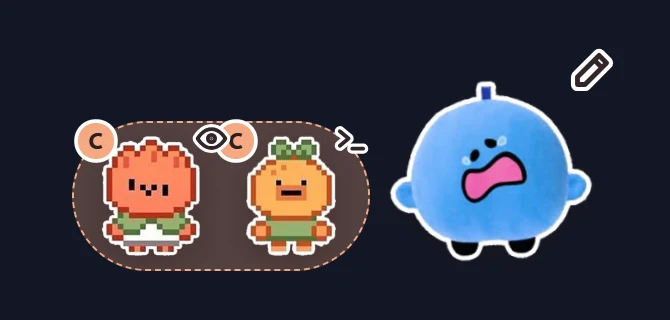
Helpers (subagents) can show which agent they belong to in three ways:


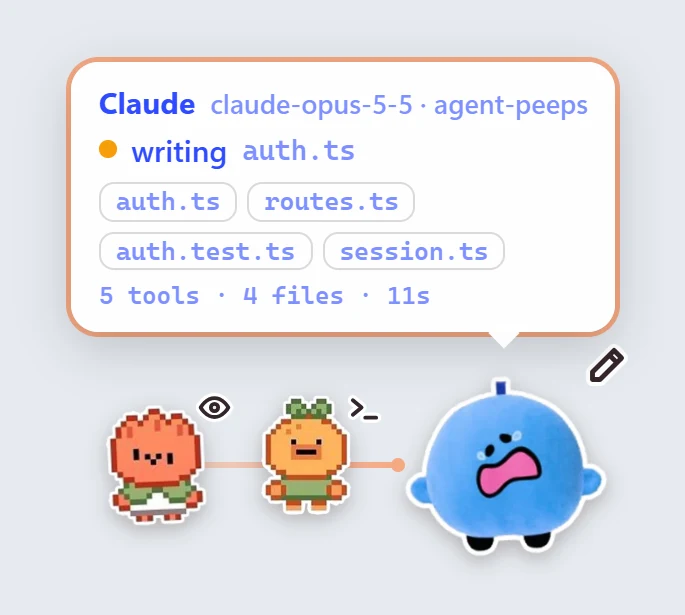
Speech bubbles: the card on each sticker
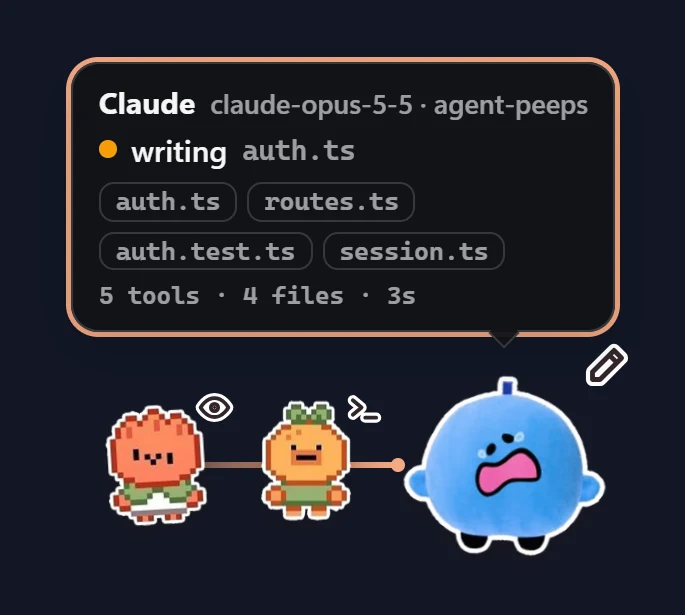
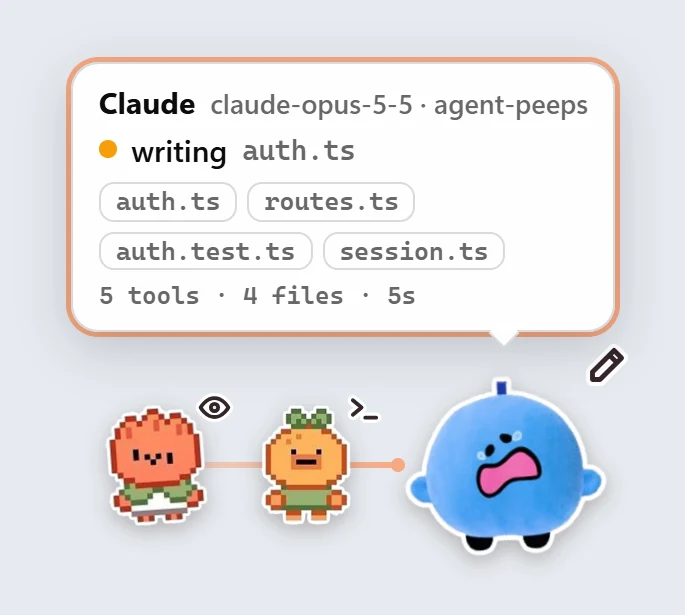
Hover a sticker to see what it's doing. Click it to pin the bubble open (it gets an outline in the agent's color); click again to unpin. A bubble opens by itself when an agent needs you.
Keyboard shortcuts
Everything you change often has a global shortcut, so you never need to open the window. A small toast at the bottom of the screen confirms each one. On macOS use ⌘ ⌥ ⇧ instead of Ctrl Alt Shift.
| Shortcut | What it does |
|---|---|
| CtrlAltShiftA | Show or hide the stickers (always on) |
| CtrlAltShiftC | Open the control room |
| CtrlAltShiftF | Everywhere, or only over my apps |
| CtrlAltShiftB | Speech bubbles on or off |
| CtrlAltShiftP | Peek: open every bubble at once |
| CtrlAltShiftT | Bubble theme: auto, dark, light |
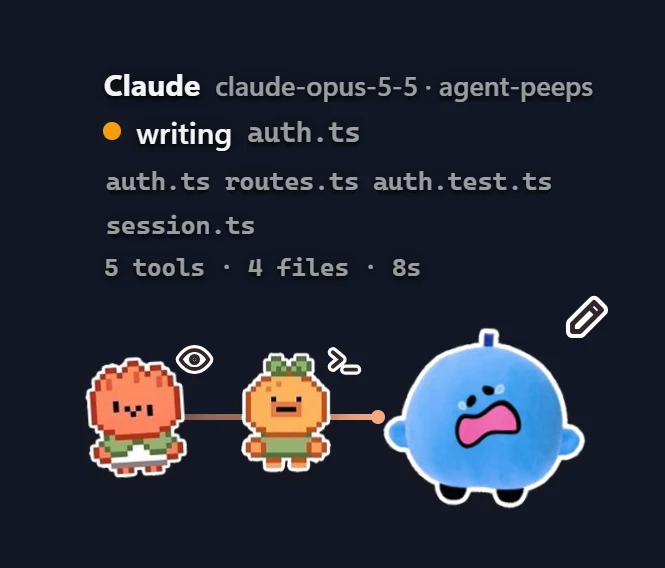
| CtrlAltShiftD | Details in the bubble, or always under each sticker |
| CtrlAltShiftS | Next size: small, medium, large |
| CtrlAltShiftW | When to show: while working, only when it needs you, always |
| CtrlAltShiftL | Helper layout: line, pod, side by side |
| CtrlAltShiftM | Motion: lively, calm, off |
| CtrlAltShiftH | Hide for 30 minutes |
| CtrlAltShiftR | Reset sticker positions |
Stickers: one set per agent, helper or model
The left column lists every target: each agent, each agent's helpers, every helper, helper types that have shown up (Explore, test-writer…) and model rules (type opus and press Add). Pick one image, several (each session or helper gets its own), or a whole pack. Add from my computer… copies nothing; it points at your files.
On the stickers
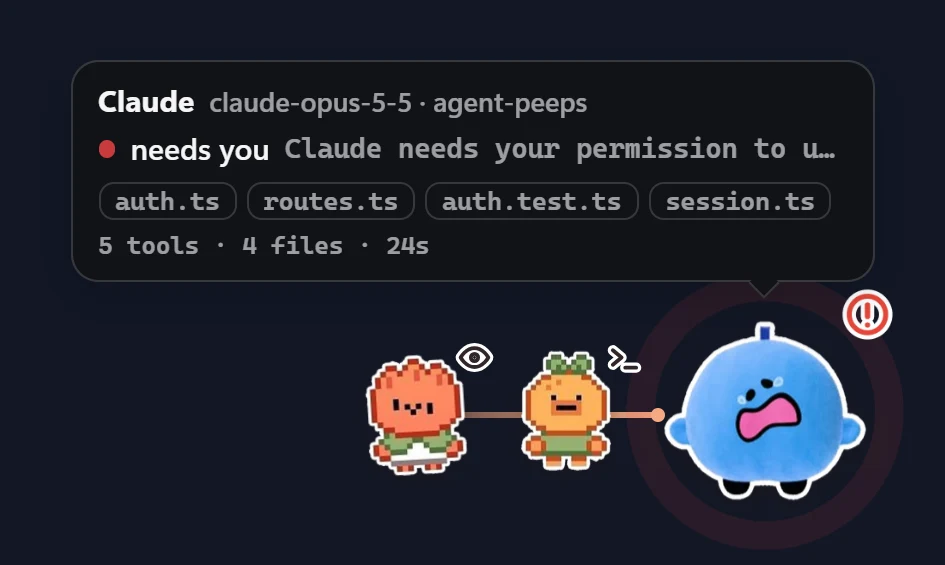
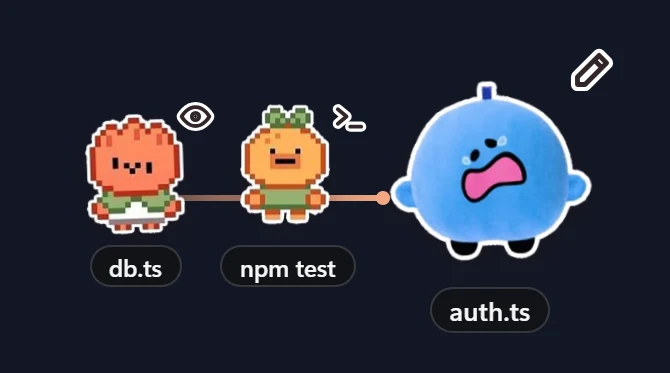
- Drag an agent's sticker anywhere; it remembers the spot. Reset positions (or CtrlAltShiftR) puts them back in the corner.
- Hover for who, what, its recent files and its stats; click a file to show it in your file manager.
- Click a sticker to pin its bubble open. Peek (CtrlAltShiftP) opens them all.
- Right-click for Change sticker…, Hide this agent, Peek, Hide for 30 minutes, Size and Quit.
- Motion: Lively adds a pulse ring when an agent needs you, a small hop on each step and a bounce when it finishes. Calm keeps only slow loops; Off stops everything.
- With no sticker chosen, each agent shows its own logo. Clicks pass straight through everywhere except on the stickers, and a session that goes quiet for 15 minutes disappears.
Updated Agent Peeps while it was running? The control room says Restart Agent Peeps to finish updating. Run agentpeeps overlay --quit, then agentpeeps overlay.
Config file
~/.agent-presence/config.json (Windows: %USERPROFILE%\.agent-presence\config.json). The control room and set write it; you can edit it by hand and the overlay applies changes live. The VS Code extension reads it too.
{
  "avatars": {
    "claude": "pack:capybaras",
    "model:opus": ["pack:capybaras", "~/stickers/fox.png"],
    "codex": "pack:cats",
    "claude-subagent": "pack:fruit-cats",
    "subagent": "pack:pixel-food",
    "Explore": "~/stickers/detective.png"
  },
  "names": { "claude": "Foxy" },
  "size": "small",
  "show": "working",
  "details": "hover",
  "agents": { "copilot": false, "subagent": true },
  "autostart": true,
  "scope": "apps",
  "apps": ["Code", "Cursor", "WindowsTerminal"],
  "helpers": "line",
  "motion": "lively",
  "icon": true,
  "opacity": 80,
  "shortcuts": true,
  "bubble": { "on": true, "style": "card", "border": true, "theme": "auto", "text": "auto", "size": "medium", "auto": true, "stats": true }
}| Key | Type | Meaning |
|---|---|---|
avatars | object | Target → image path, "pack:<name>", or a list of both. ~ is allowed. |
names | object | Display name per agent, e.g. {"claude": "Foxy"}. |
size | string | small (default) · medium · large |
show | string | working (default) · alerts · always |
details | string | hover (default) · always |
agents | object | false hides an agent; "subagent": false hides all helpers. |
autostart | boolean | false stops the overlay opening on new sessions. Default true. |
scope | string | everywhere (default) · apps: only while an app in apps is in front |
apps | array | Process names (Windows), app names (macOS) or commands (Linux) that count as yours. Defaults to common editors and terminals. |
helpers | string | line (default) · pod · none |
motion | string | lively (default) · calm · off |
icon | boolean | false hides the small status badge. Default true. |
opacity | number | 30 to 100. Stickers rest at this opacity until you hover them. Default 100. |
shortcuts | boolean | false turns off every global shortcut except show / hide. Default true. |
bubble | object | on, border, auto (open when it needs you), stats: booleans, all true by default · style: card or text · theme: auto, dark or light · text: auto or a color like #ffd166 · size: small, medium or large |
Event log
Every hook call becomes one JSON line in ~/.agent-presence/events.jsonl. The overlay, watch and VS Code all tail this file, so anything you build can too. It rolls over to events.jsonl.old at 5 MB.
{"t":1794788741918,"agent":"claude","session":"3f9a1c…","sub":null,"subType":null,"event":"PreToolUse","state":"writing","tool":"Edit","file":"/repo/src/login.ts","detail":null,"cwd":"/repo","model":"claude-opus-5-5"}| Field | Meaning |
|---|---|
t | Time in ms. |
agent | claude · codex · copilot · antigravity |
session | Session or conversation id. |
sub, subType | Helper id and type (e.g. Explore); null for the main session. |
event, tool | The hook event and the tool name, as the agent sent them. |
state | What the sticker shows (below). |
file | File being read or written, when there is one (also parsed out of Codex patches). |
detail | Command, search, URL, helper task or the reason it needs you. |
cwd, model | Project folder and model, when the agent sends them. |
States
VS Code extension
Shows the same activity inside VS Code, Cursor and Windsurf: a badge on every file an agent is touching, colored by agent, and an Agents view in the Explorer listing sessions and helpers. It reads the same event log, so it needs the hooks from agentpeeps init.
🅒 Claude🅧 Codex🅟 Copilot🅐 Antigravity🅔 an Explore helper
| Setting | Default | Meaning |
|---|---|---|
agentPresence.badges | {"claude":"🅒", …} | Badge per agent, subagent or helper type; 1–2 characters or one emoji. |
agentPresence.recentSeconds | 90 | How long a file keeps its badge after an agent stops touching it. |
Colors are themeable as agentPresence.claude, .codex, .copilot, .antigravity, .subagent, .other. Custom stickers from config.json show up in the Agents view.
Node API
For tools and contributors. require('agentpeeps/cli.js') exports:
normalize(agent, hookJson, event?)- Turns any agent's hook payload into one event line (or
nullfor events it ignores). patchFiles(patchText)- File paths named in a Codex
apply_patchbody. editHooksFile(file, events, makeHook, remove)- Adds or removes our hook in a Claude/Codex style hooks file, keeping everything else and writing a backup.
copilotHooks(file, cli, remove)- Writes or deletes
~/.copilot/hooks/agent-presence.json. antigravityHooks(file, cli, remove)- Adds or removes the
"agent-presence"group in Antigravity's hooks file. isEphemeral(dir)truewhen running from an npx / dlx / bunx cache.packs()Mapof pack slug →{ name, dir, files, mine }.stickerFiles(value, packs?)- Resolves a config value (path,
"pack:x"or a list) to existing image files. targetKey(target)- What people type → config key:
helpers→subagent,claude-helpers→claude-subagent. slug(text)- Pack-name slug: lowercase, dashes.
HOME,EVENTS,CONFIG- Paths of
~/.agent-presence, the event log and the config file.AGENT_PRESENCE_HOMEoverridesHOME.
Overlay bridge
The overlay pages talk to Electron through window.ap (overlay/preload.js). Every message is validated in the main process.
| Call | Does |
|---|---|
onConfig(cb) · onEvent(cb) · onResetPositions(cb) | Config changes, new events, position reset. |
mouse(over) | Lets clicks through unless the pointer is over a sticker. |
reveal(file, cwd) · menu(target) | Show a file in the file manager · open the right-click menu. |
onRoom(cb) · setAvatars(key, files) · browse(key) | Control room data · choose stickers · pick files from disk. |
setConfig(patch) · setVisible(on) · resetPositions() · openFolder() | Save settings · show/hide · reset drag positions · open the sticker folder. |
Agent skill
The package ships a skill for Claude Code and Codex, so you can just ask: “give Codex the cat stickers”, “make the stickers smaller”, “only show them when an agent needs me”. The agent runs agentpeeps set or edits config.json. It never touches your hook settings. For one-off changes the control room is faster and costs no tokens.
Privacy
Local only: no server, no account, no network calls, no telemetry. Hooks write to a file in your home folder and the overlay reads it. Nothing leaves your machine.
Uninstall
$ agentpeeps uninstall
$ agentpeeps overlay --quit
$ npm rm -g agentpeeps
Then delete ~/.agent-presence/ if you want your stickers and settings gone too.
Troubleshooting
- No stickers appear
- Start a new session; hooks load at session start. Then check that
~/.agent-presence/events.jsonlgrows while the agent works, and runagentpeeps overlay. - Codex shows nothing
- Open
/hooksin Codex and trust the Agent Peeps entries. - Stickers stopped after an update or a cache clean
- Run
agentpeeps initagain. With npx it reinstalls the permanent copy in~/.agent-presence/app. - The control room says "Restart Agent Peeps to finish updating"
- The copy that is running is older than the one installed. Run
agentpeeps overlay --quit, thenagentpeeps overlay. - A shortcut says "used by another app"
- Another program registered the same keys first. Close it, or turn global shortcuts off in the control room; CtrlAltShiftA keeps working either way.
- "Only over my apps" hides the stickers in my editor
- Open Display in the control room, switch to your editor and back: its name shows up as a dashed chip. Click it to add it.
- Copilot or Antigravity show only finished steps
- Expected: their hooks can't run in the background, so tool calls show when they finish.
- Testing by hand on Windows
- PowerShell pipes a byte-order mark;
emitstrips it. SetAGENT_PRESENCE_DEBUG=1to print hook errors.